1. Open Lagos Life in your browser
Go to the play page and press play. Lagos Life runs entirely in the browser, so there is nothing to install first.
Step-by-step walkthrough
Lagos Life has no tutorial dungeon and no download. Here is the whole setup, from pressing play to walking the city map, in the order you will actually do it.
If you have played a browser game before, you already know how to start Lagos Life — you open a page and press play. What trips people up is everything after that, because Lagos Life drops you straight onto a living city map with no hand-holding. This page is the missing manual for the first ten minutes.
You can follow along in the game window on the play page, or from the homepage.
Go to the play page and press play. Lagos Life runs entirely in the browser, so there is nothing to install first.
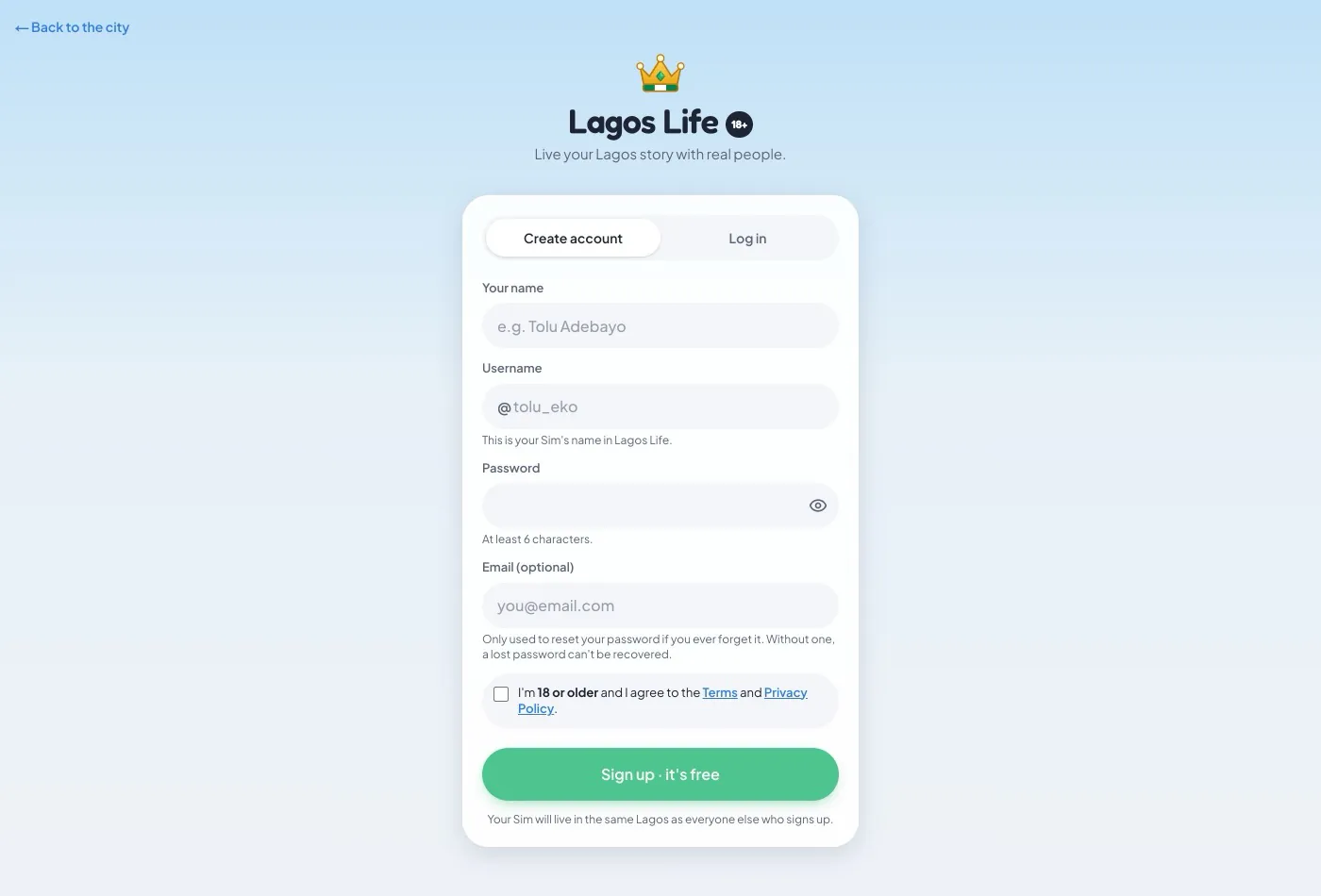
Press Sign up free. Enter your name, a username that other players will see with an @ in front of it, a password of at least six characters, and optionally an email address used only for password resets.
Lagos Life is an 18+ game and enforces the age requirement when you register. You cannot create an account below that age.
Choose your body, skin tone, hairstyle, outfit and shoes. Styles include asooke and ankara outfits, gele and lowcut hair, and accessories such as a duffel or mini bag.
Homes sit in named Lagos neighbourhoods including Yaba, Mushin and Banana Island. Your home stores the items you collect, so it doubles as your progress record.
Select any labelled location on the city map to travel there. Before you set off, read the daily headline and tip — they warn you about weather and about NEPA power cuts.
The map is the game's main interface. Lagos Lagoon splits the city, and every place worth visiting carries a label you can select — Afrika Shrine, Amala Shitta, CcHub, Freedom Park, i-Fitness, The Palms, Eko Hotels, Ikoyi Golf Club, UNILAG, the High Court, the Beach and around twenty more. Two spots, Airport and Refinery, are marked Coming soon, which is a preview of where the game is heading.
Along the top you get the live state of the whole city, shared by everyone online at that moment: the current Governor and their policy, the sea plots, and the number of homes that exist. Because it is multiplayer, that bar changes depending on what other players are doing — during a busy evening it is noticeably alive.
Every day Lagos Life publishes a headline, a weather state and a tip. They are worth reading. A real example from the game:
"Rain falls for 10 minutes. Lekki roads become Venice."
Tip: "Buy a generator or solar before NEPA ruins your evening."
That is the game telling you two mechanics at once: weather affects the city, and power cuts are something you prepare for rather than something that just happens to you.
Lagos Life keeps you signed in with a cookie. That is normal, and the game is explicit that it uses no ad trackers. It matters for one practical reason: if you play inside an embedded window, Safari and Firefox will block that cookie and your sign-in will not stick. Playing in a new tab avoids the problem completely. See controls for how to do that from this site in one click.
Once you are in, the beginner guide plans out your first real session, and tips and tricks covers the systems that are easy to miss.
Lagos Life is free, runs in your browser and needs no download at all. You can play it on this site right now, or keep reading the beginner guide first.